

How to install a WordPress plugin?

3 ways we can get a WordPress plugin –

  1. From WordPress database
  2. From Third-parties
  3. Custom development

Login to the WordPress dashboard

On the main menu (left-sided)
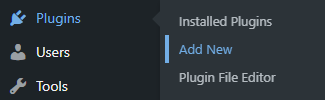
How to install a WordPress plugin

  • Hover over on Plugins
  • Click on Add New

2 ways we can upload or install a WordPress plugin

  1. From WordPress dashboard
  2. From Server side

In this article, I am writing the 1st way.

If you have the plugin in a .ZIP format (Elementor Pro, Thrive Themes, etc) –
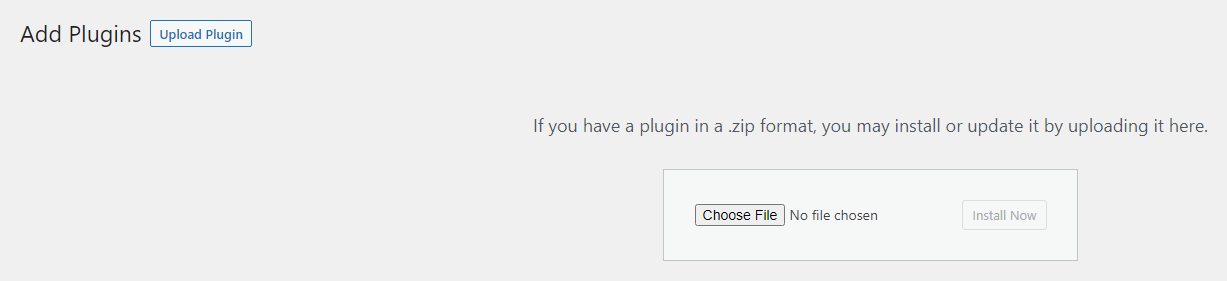
How to install a WordPress plugin

  • Click on the Upload Plugin
  • Click on the Choose File button
  • Select and open the .zip folder
  • Click on the Install Now button
  • After finishing the installation, click on the Activate button

If you want to install a plugin from the WordPress database –
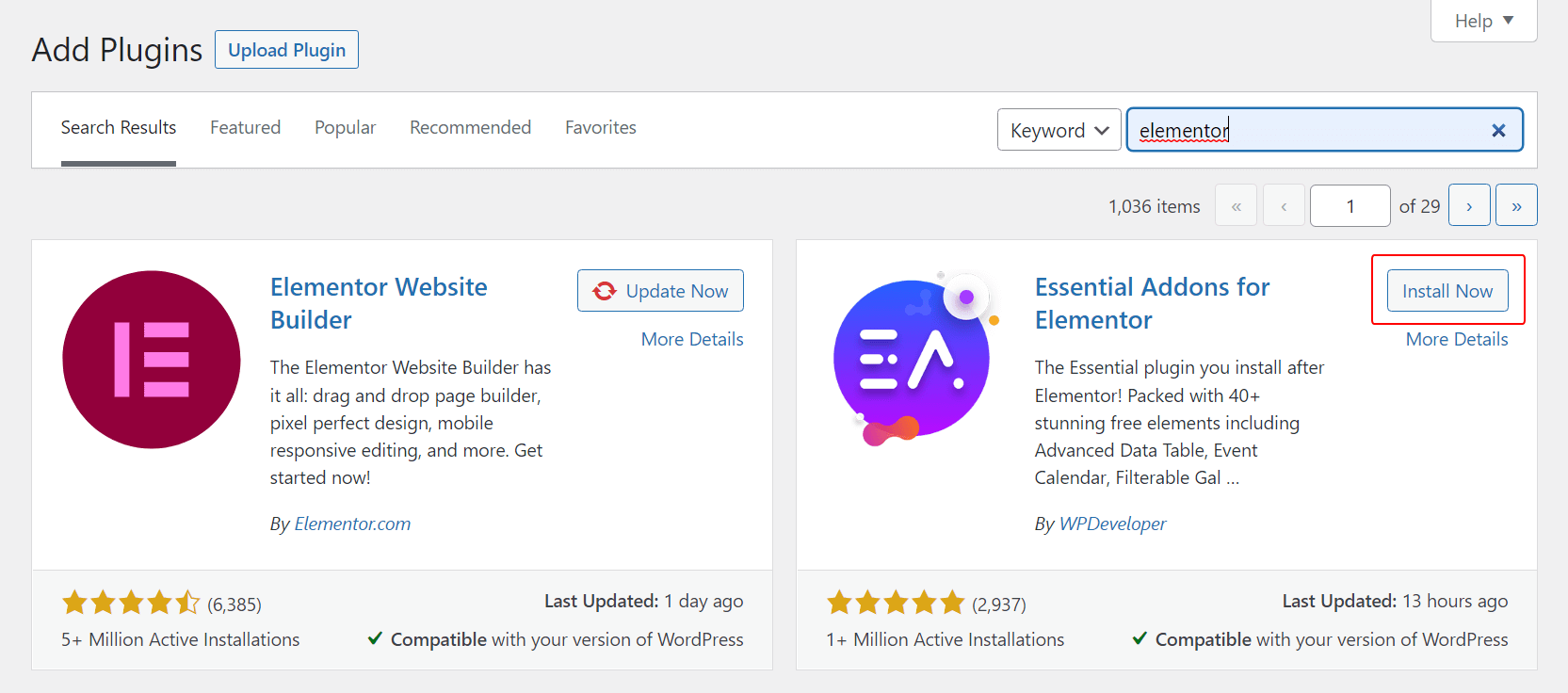
How to install a WordPress plugin

  • Type the Plugin name on the Search field/box
  • Click on the Install Now button
  • After finishing the installation, Click on the Activate button

Important: It is strongly recommended that you take a backup of your WordPress before installing a new plugin.

Tip: Don’t keep any unnecessary plugins, such as – Hello Dolly. Delete them. It is good for the site’s health and security.

Leave a Comment