
How to activate and deactivate Elementor Breakpoints for responsiveness?

  • Open a page with Elementor editor.
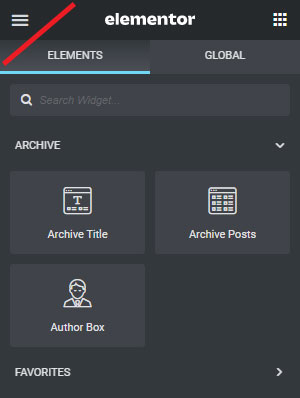
  • Click the Top-Left (3 bar) menu on the editor.
How to activate and deactivate Elementor Breakpoints

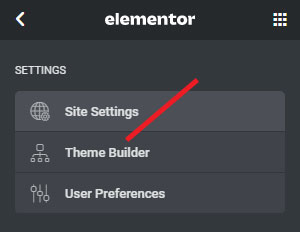
  • Click on Site Settings

How to activate and deactivate Elementor Breakpoints

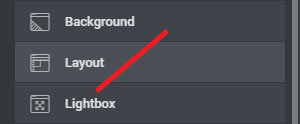
  • Click on Layout

How to activate and deactivate Elementor Breakpoints

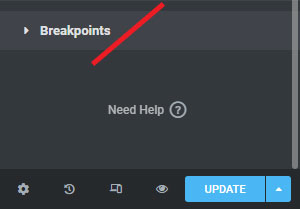
  • Click on the Breakpoints

How to activate and deactivate Elementor Breakpoints

To Activate the Breakpoints:

  • Click the end of the Breakpoints
  • Click on the Breakpoint you want to add
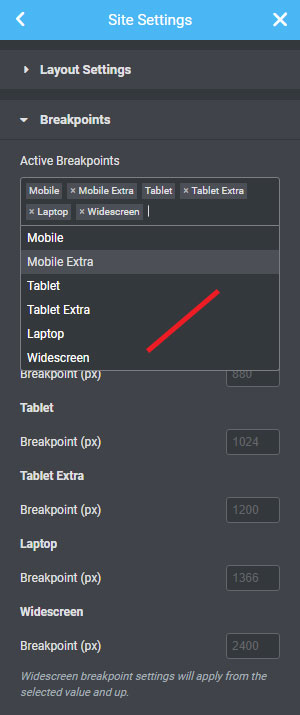
How to activate and deactivate Elementor Breakpoints

To deactivate the Breakpoints:

  • You can remove the Breakpoint by clicking on the X
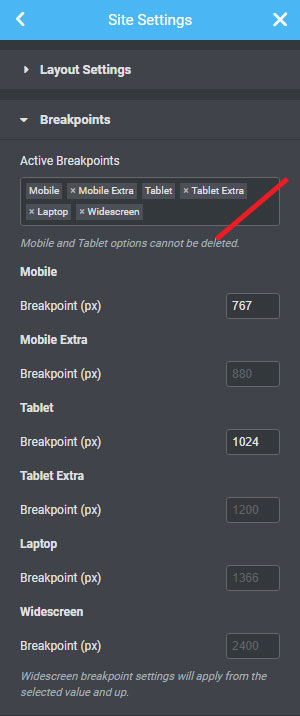
How to activate and deactivate Elementor Breakpoints

After finishing activate or deactivate > Click on Update

Important: It is strongly recommended that do this experiment in a staging environment. Or, you know what you are doing.

Leave a Comment