How to update WordPress plugin(s)?

Login to the WordPress dashboard
How to update WordPress plugins

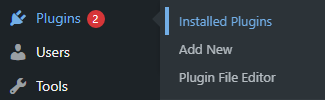
  • Hover over on Plugins
  • Click on Installed Plugins

How to update WordPress plugins

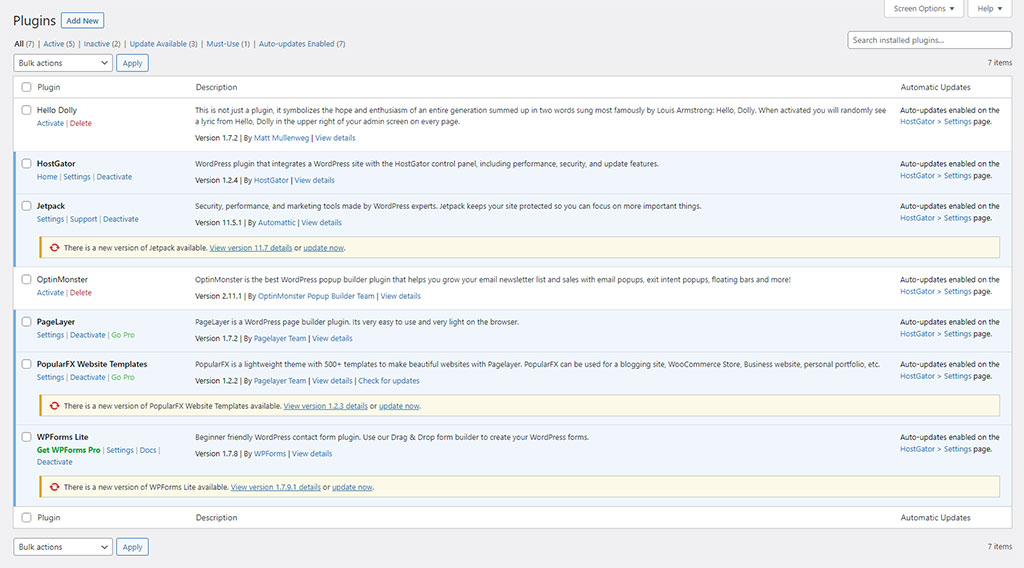
  • You will see the list of the plugins that are installed
  • Click on Update Now of the plugin that you want to update

Update All Plugins

  • Click/select the Plugin check box below Bulk Actions
  • Click on the Bulk Actions’s drop-down arrow
  • Select Update
  • Click on the Apply button

Important: It is strongly recommended that you take a backup of your website before updating a plugin or you know what you are doing.

Tip: Don’t keep any unnecessary plugins, such as – Hello Dolly. Delete them. It is good for the site’s health and security.

Leave a Comment